File Viewer
The Files tab provides a file browser for accessing your data and processing directories on the
facility file system (Fig. 1). By default, the page will open your /data/username directory.
If you want to open your /home directory, click the home icon in the breadcrumbs.
You will see a list containing My Home which will open /home/username. The File Viewer will display the contents of most files.
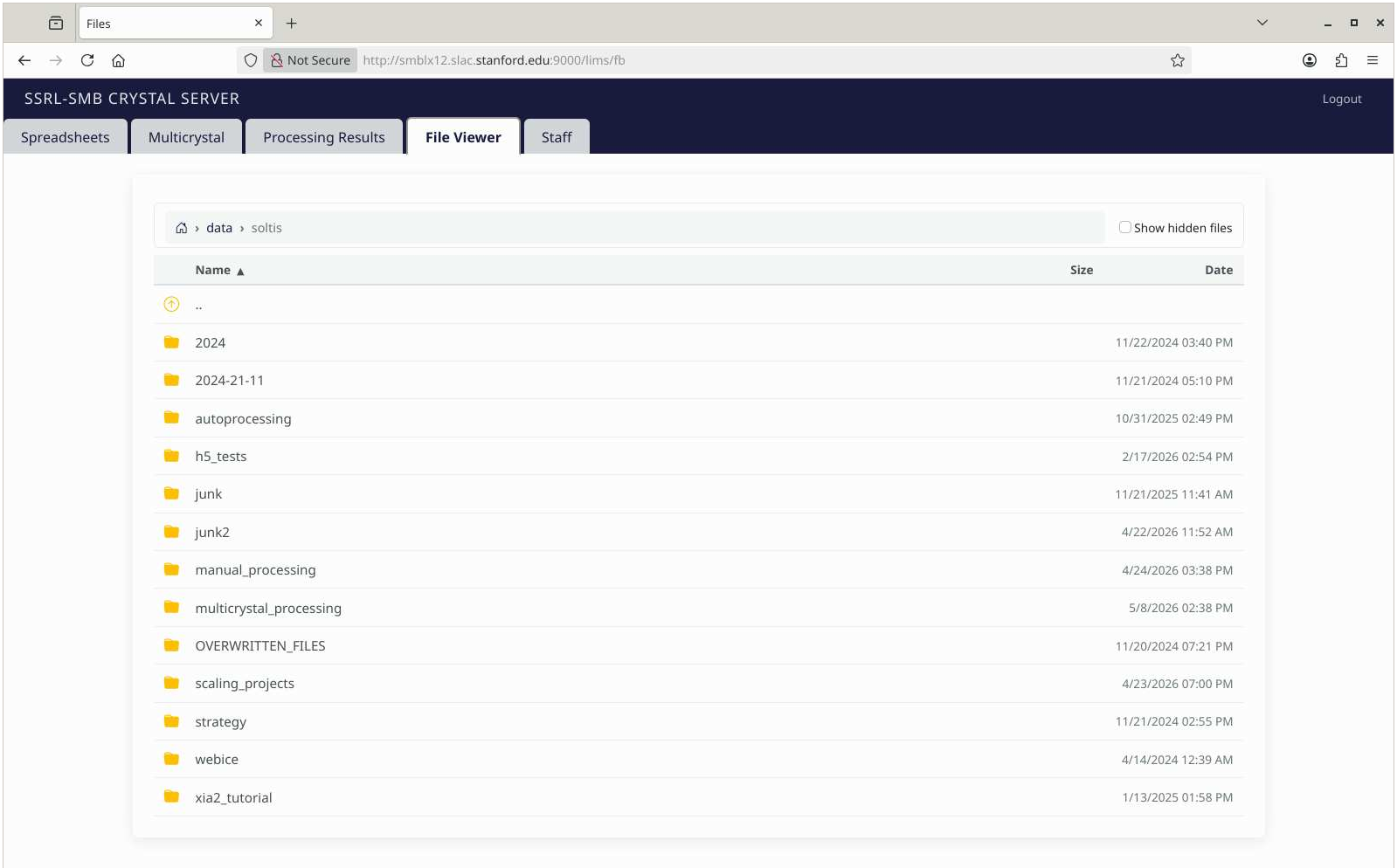 Figure 1. The File Viewer tab will open all types of files (text, json, image, binary file headers, plots, scan files, etc.)
Browsing Files
- Navigate directories using the file listing or the breadcrumb trail at the top.
- Sort by filename or or by Date by clicking the triangle in the column label..
Viewing Files
Different file types open in different ways:
- Diffraction images (CBF, etc.): Opens an Image Viewer with zoom, pan, and grayscale adjustments along with the metadata in the header (Fig. 2).
- Regular images (JPG, PNG, GIF, SVG): Displays the image.
- Plot files (.scan, etc.): Displays the data and the plot on subtabs (Fig. 3).
- Text files (TXT, LOG, CSV, JSON, XML, PY, CIF, etc.): Displays the file contents with proper formatting.
- HTML files (processing reports, etc.): Displays a new browser tab.
- Binary files: Displays the file's metadata.
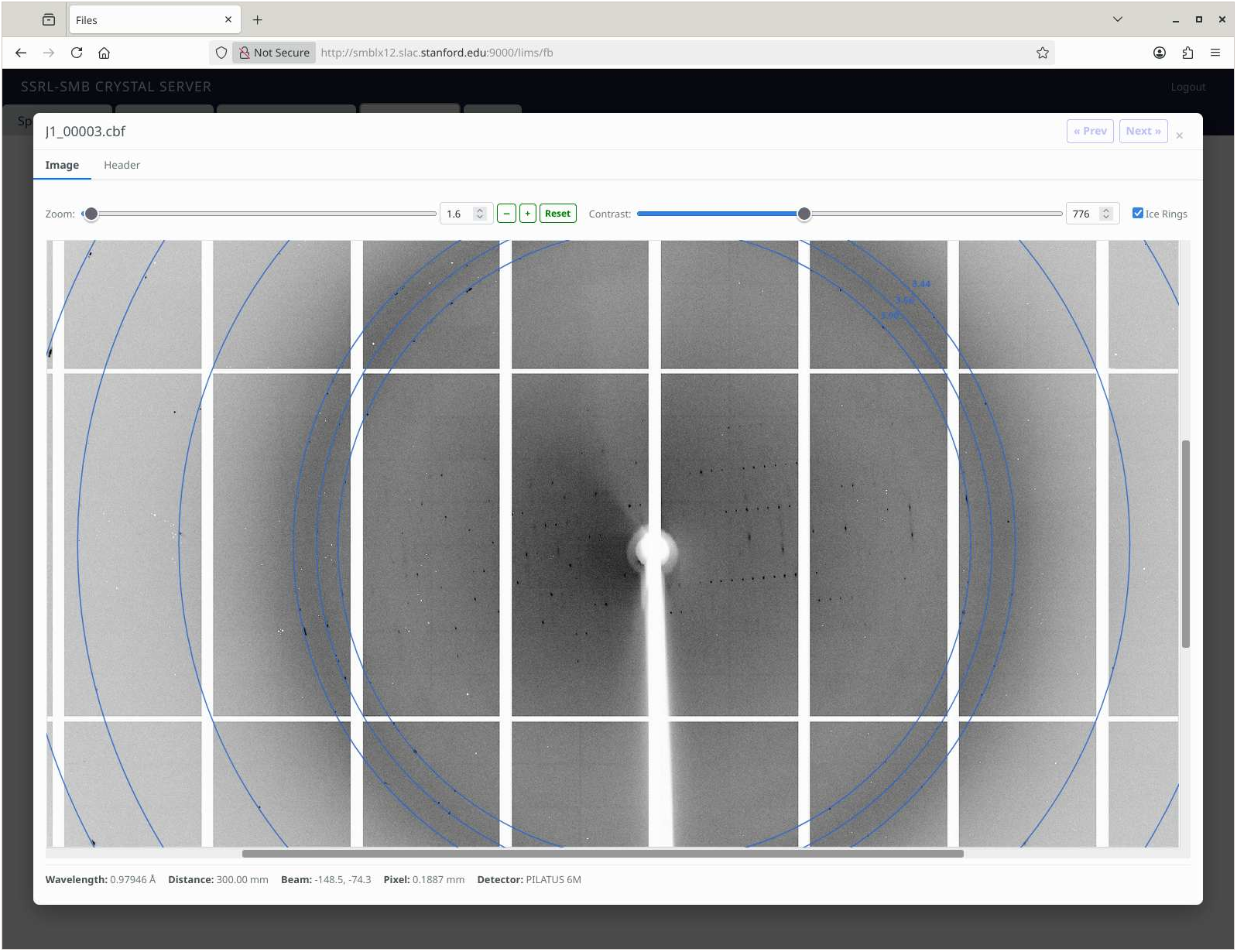 Figure 2. The File Viewer tab can be used to open diffraction files.
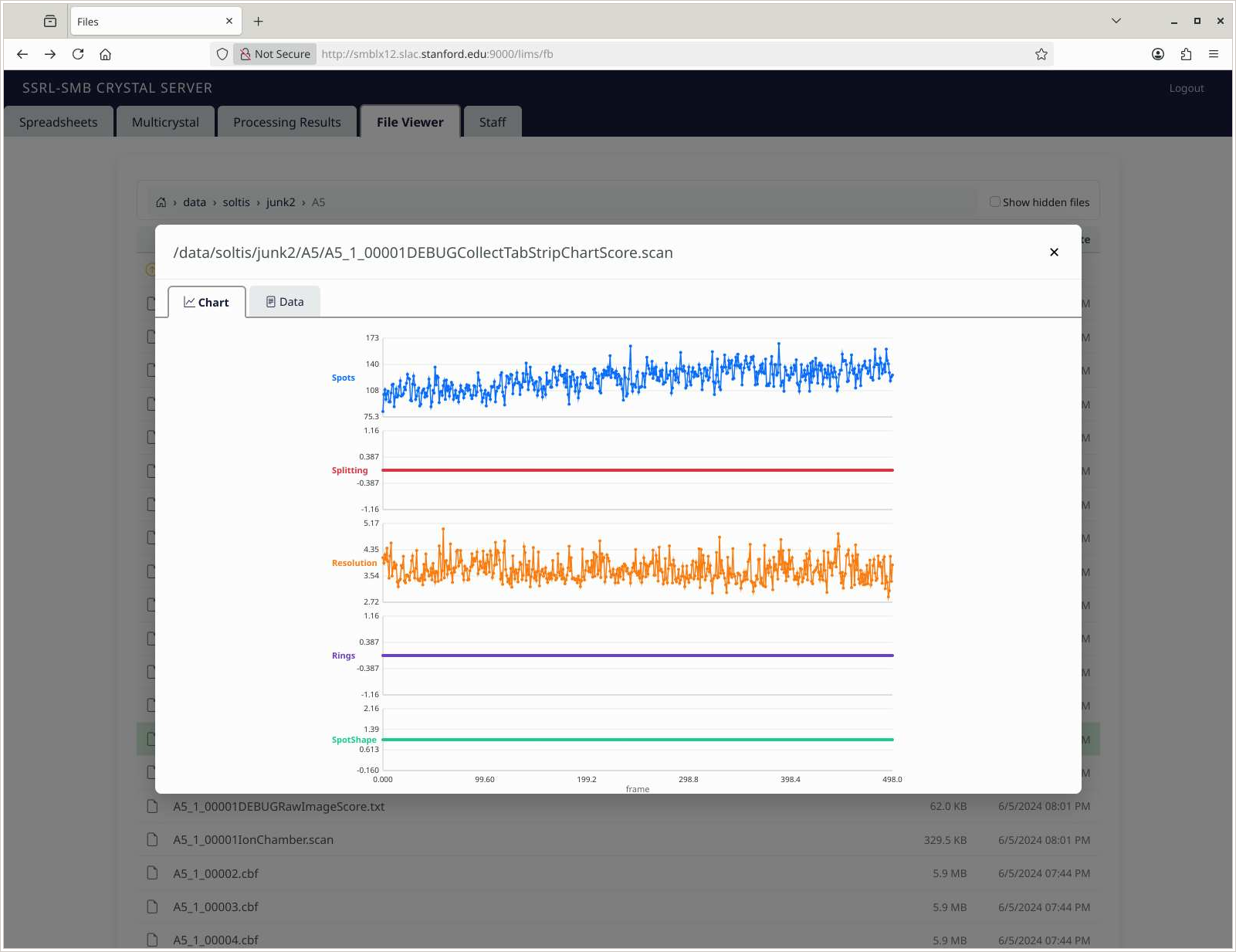 Figure 3. The File Viewer can display strip chart plots and associated data.
| 